Scan the score. Hear it played.
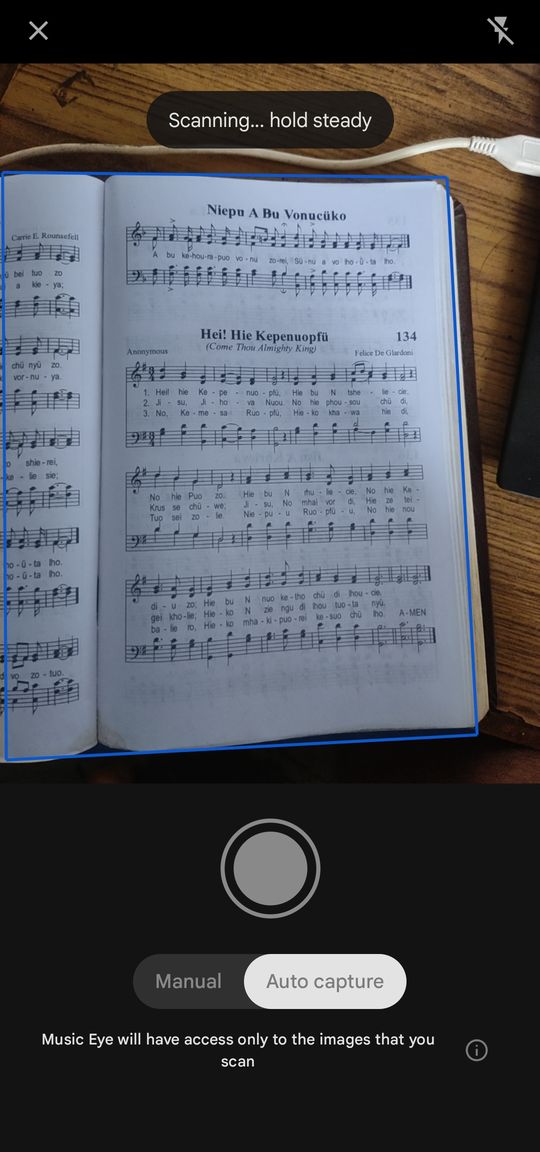
Point your phone at printed sheet music. Music Eye reads it and plays it back with the sound you choose. For choir scores, it splits out Soprano, Alto, Tenor and Bass, so you can mute your part and sing along.
Available for Android. iPhone coming soon. Scanning runs on your phone, so your scores stay with you.
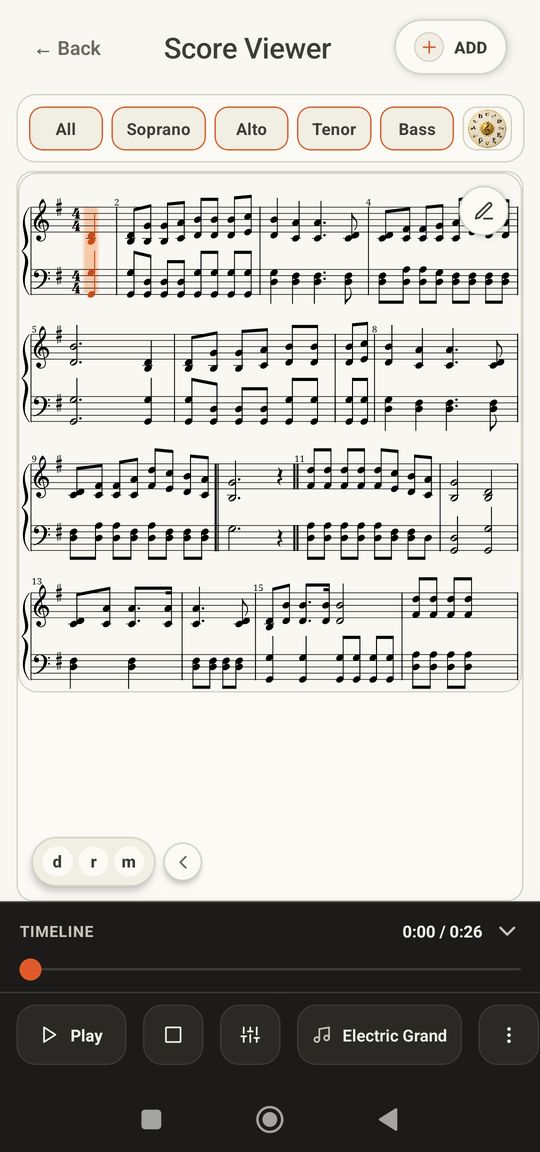
For choirs: mute your voice, keep the rest.
Choir scores play as four separate voices. Tap a voice to turn it off, then sing it yourself against the other three.
Tap a voice to mute it
Scan, play, edit and take it with you
Made for anyone who practises from printed music, with extra tools for choir singers.
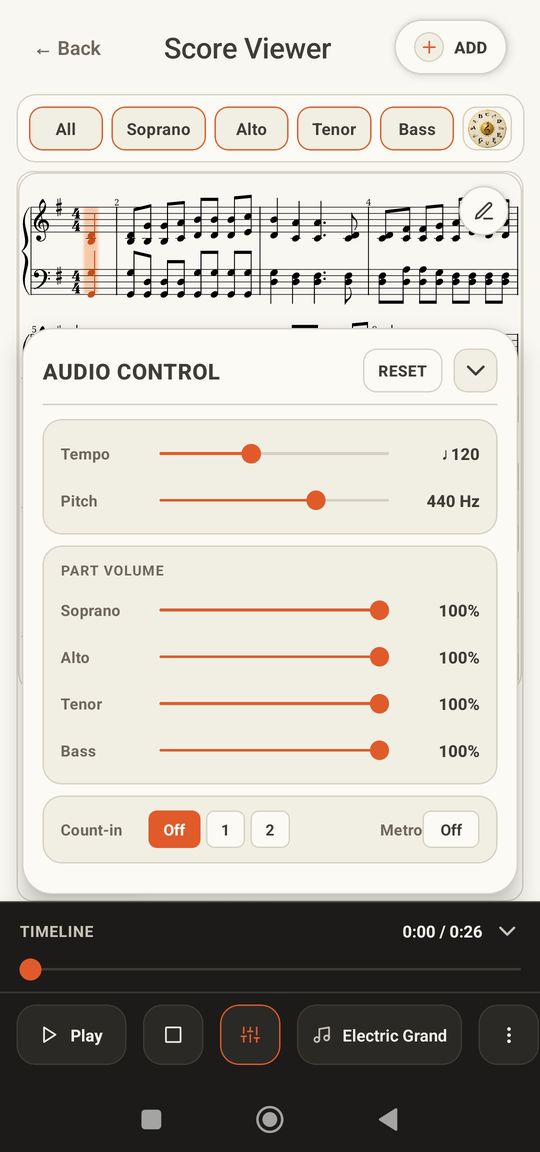
Control every part
Turn parts up or down, or solo one to learn it. On a choir score that means Soprano, Alto, Tenor and Bass. Set the tempo, add a count-in, and use the metronome when you need it.
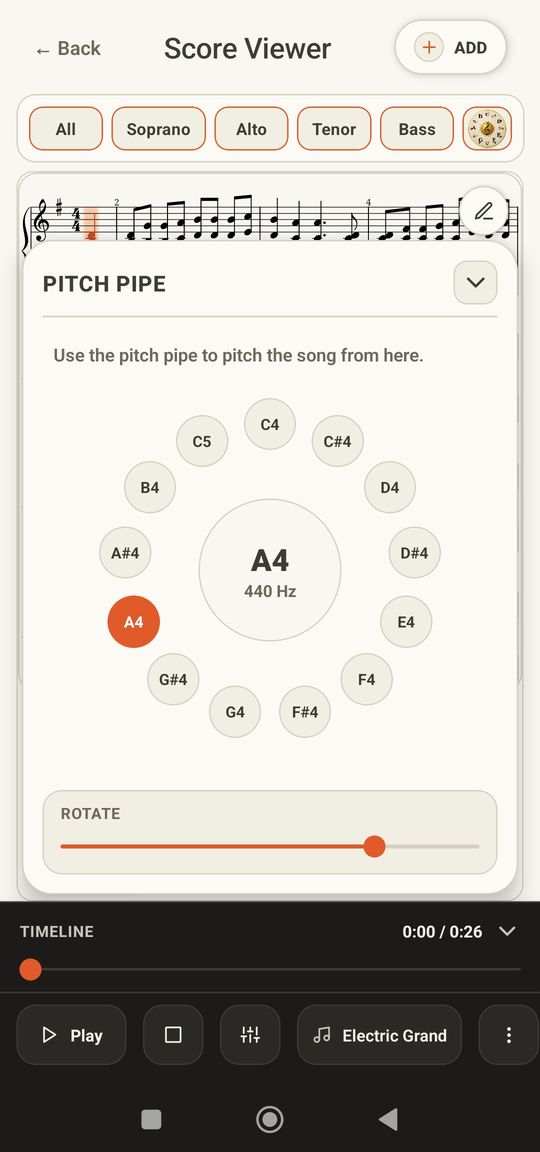
Find your starting note
A built-in pitch pipe gives you the note to begin on.
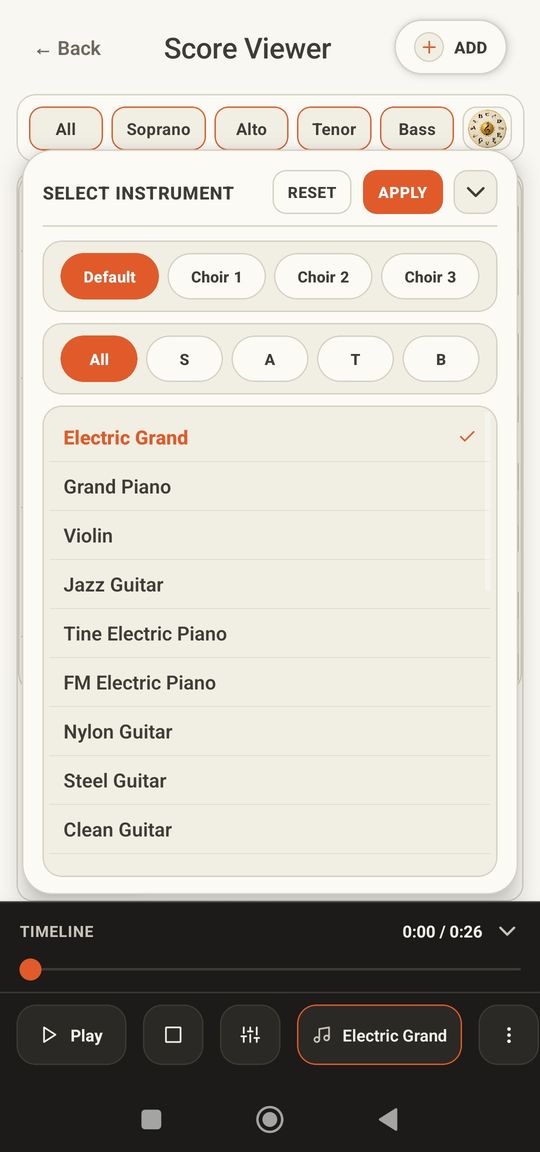
Pick your sound
Play a score with piano, guitar, violin and more, or choose one of three choir sounds.
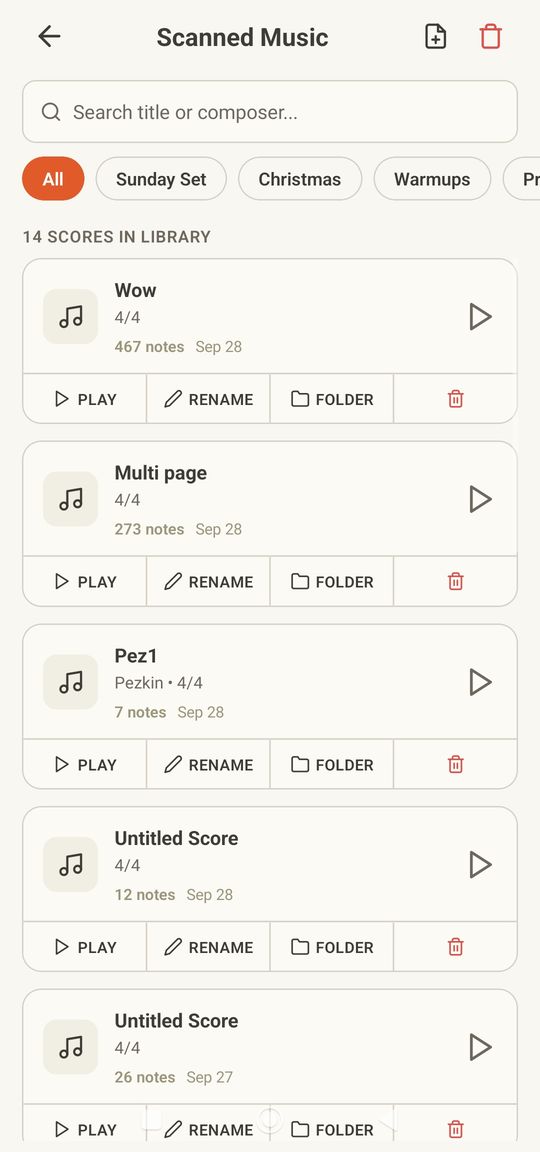
Your library
Sort scores into folders like Sunday Set or Warmups.
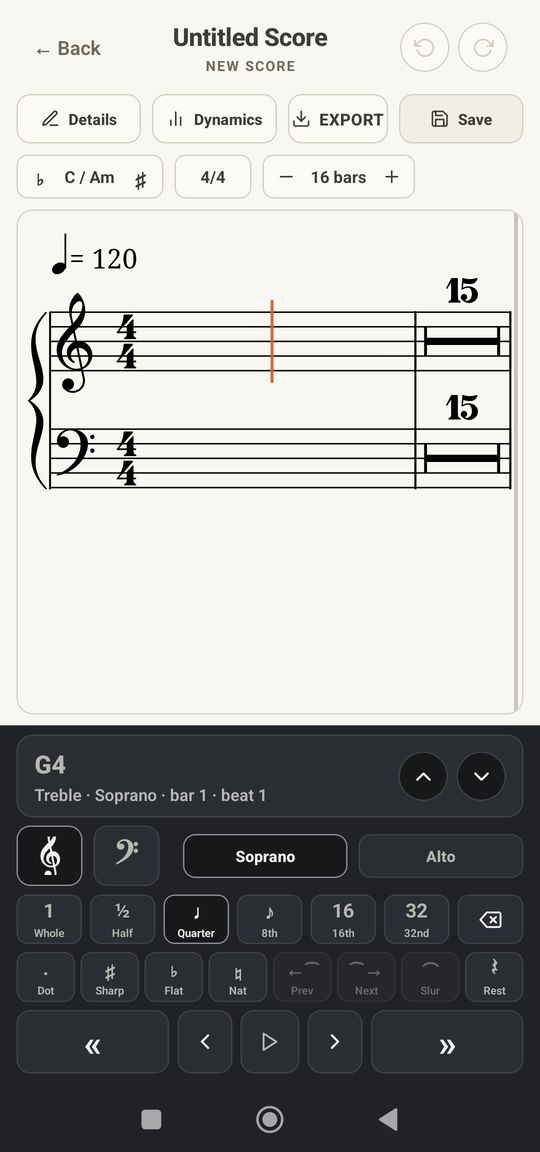
Fix it or write it
Correct a misread note, or start a blank score.
Take your score anywhere
Open it in MuseScore, send a practice recording to your section, or print a clean copy.
Three steps from paper to practice
Scan the page
Use the camera, a photo, or a file. Fill the frame with one page and Music Eye reads the notes.
Check the parts
Look over the score. Fix any note the scan missed in the editor.
Play and practise
Pick a sound and tempo and practise along. Singers can mute their own voice and hear the others.
Music Eye reads your score on the device itself. You don't upload your music to a server so it can be scanned.
Simple pricing
Try it free. Pay once or yearly when you want every feature.
- Unlimited scans
- All instrument and choir sounds
- Score editor and blank scores
- MusicXML, WAV and PDF export
- Everything in Yearly
- Pay once, keep it
- Pays for itself in about 2.5 years
The free version lets you scan a few scores and play them with piano. Your app store shows the price for your country.
Questions
What kind of scores work best?
Clean printed music with clear staves. Choir scores such as hymnals and SATB arrangements split into their four voices. Take the photo in even light and fill the frame with one page.
Can I fix mistakes from a scan?
Yes. Open the editor to change notes, or start a blank score and enter your own parts.
Can I use my scores in MuseScore?
Yes. Export MusicXML and open it in MuseScore or other notation software.
Is it on iPhone?
Music Eye is available for Android now. The iPhone version is coming soon.
Do my scores get uploaded?
No. The scan is done on your phone.